
08 / 09
sidurofe
Shift management for doctors
A browser system for managing a work schedule, with interfaces for the doctor, the shift lead and the administrator.
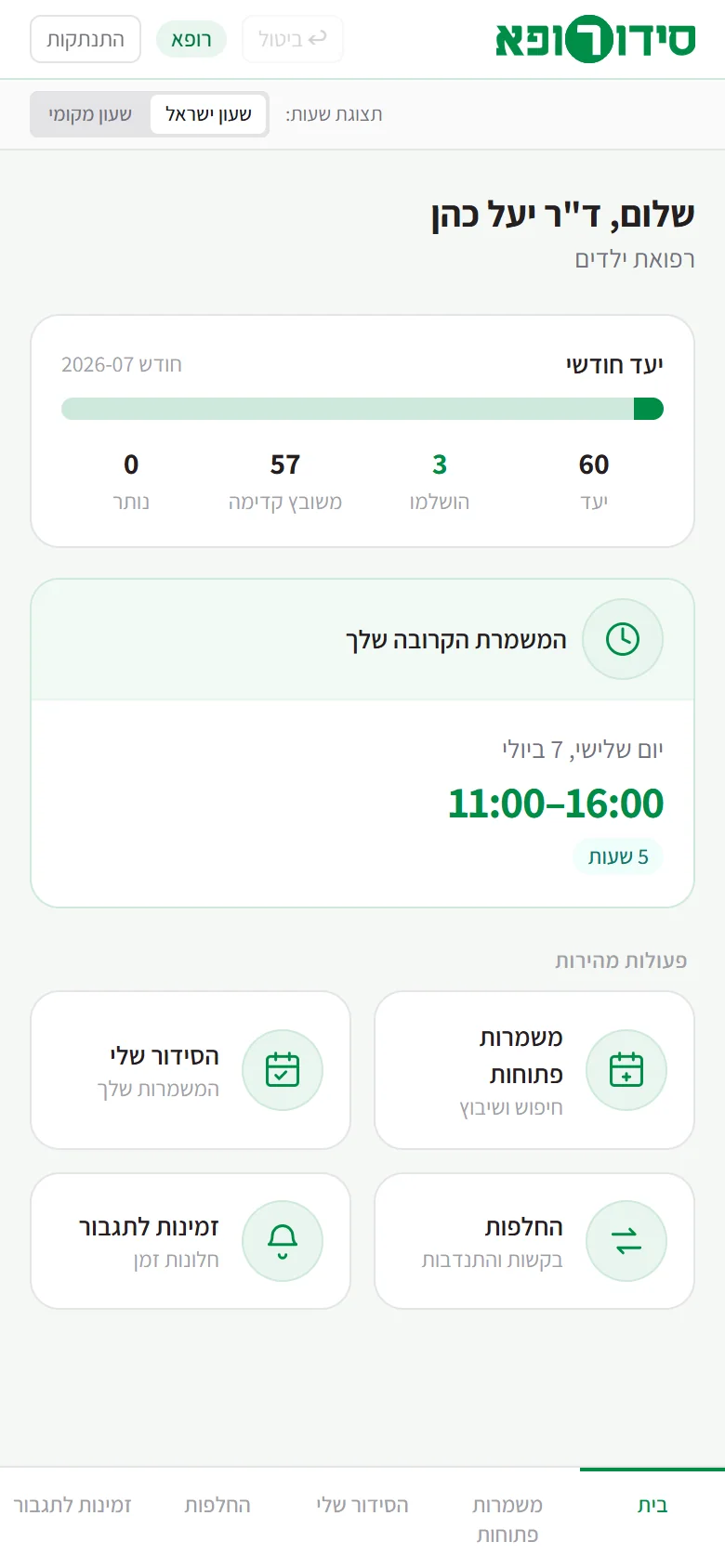
Doctor · mobile
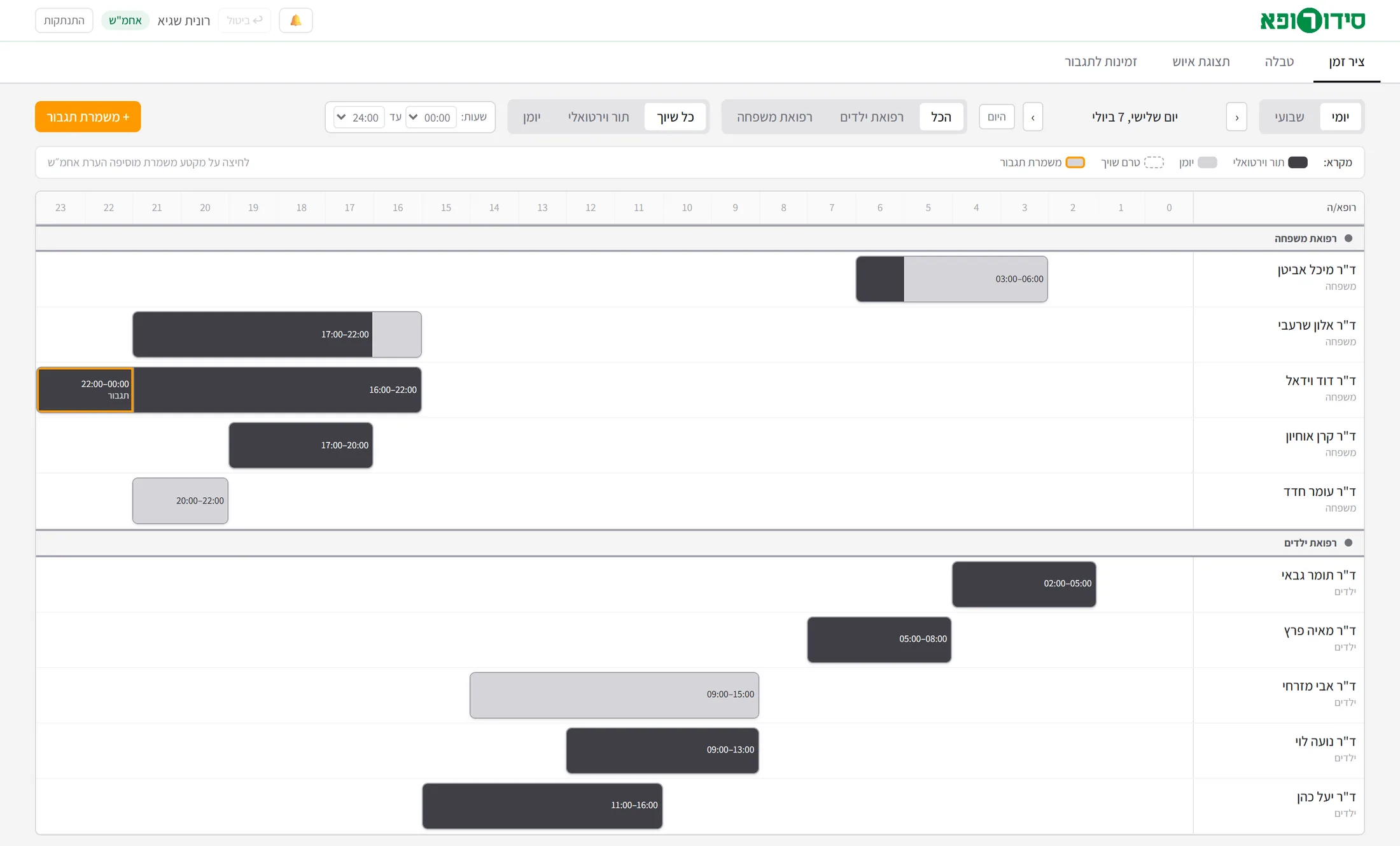
Tap to scroll the page insideClick to scroll the page inside
Shift lead · desktop
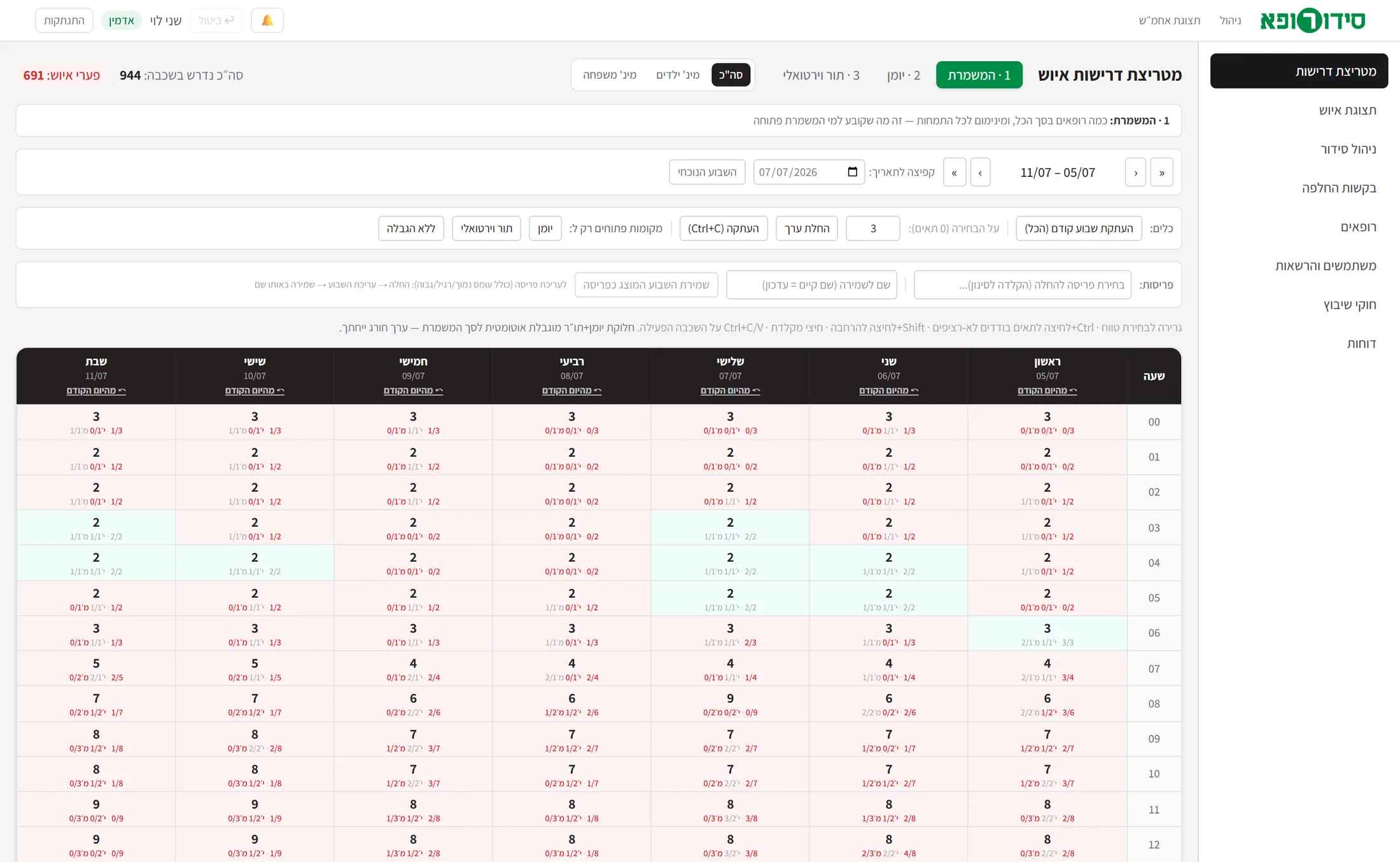
Tap to scroll the page insideClick to scroll the page inside
Administrator · desktop
Note Every doctor and account on the screens is invented: the prototype’s demo data. Sending e-mail and exporting files are still simulated in the prototype.
- My contribution
- Product specification, interface design and development with the help of AI tools.
- Discipline
- Creative Labs · UI/UX
- Product state
- Prototype · Private demo
01
The challenge
A work schedule for a medical contact centre that operates around the clock has to connect the staffing requirements, the specialities and the hours in which the doctors can work. At the same time, quotas, shortfalls and swap requests have to be tracked, and doctors have to be assigned to the right calendars or queues.
Everyone who uses the schedule has a different need: the doctor chooses hours and follows their own shifts, the shift lead manages the shift, and the administrator is responsible for planning and for changes in the schedule as a whole.
02
The principle
One system with three user configurations, built around the way the service works. Doctors choose hours from the open shifts, follow the hours target and submit swap requests. The shift lead sees the schedule, records events and checks availability for reinforcement. The administrator defines the staffing requirements, manages the assignments and approves swaps.
The scheduling is done by human choice, while the system calculates occupancy, shortfalls and fit in the interface.
03
Interface and user experience
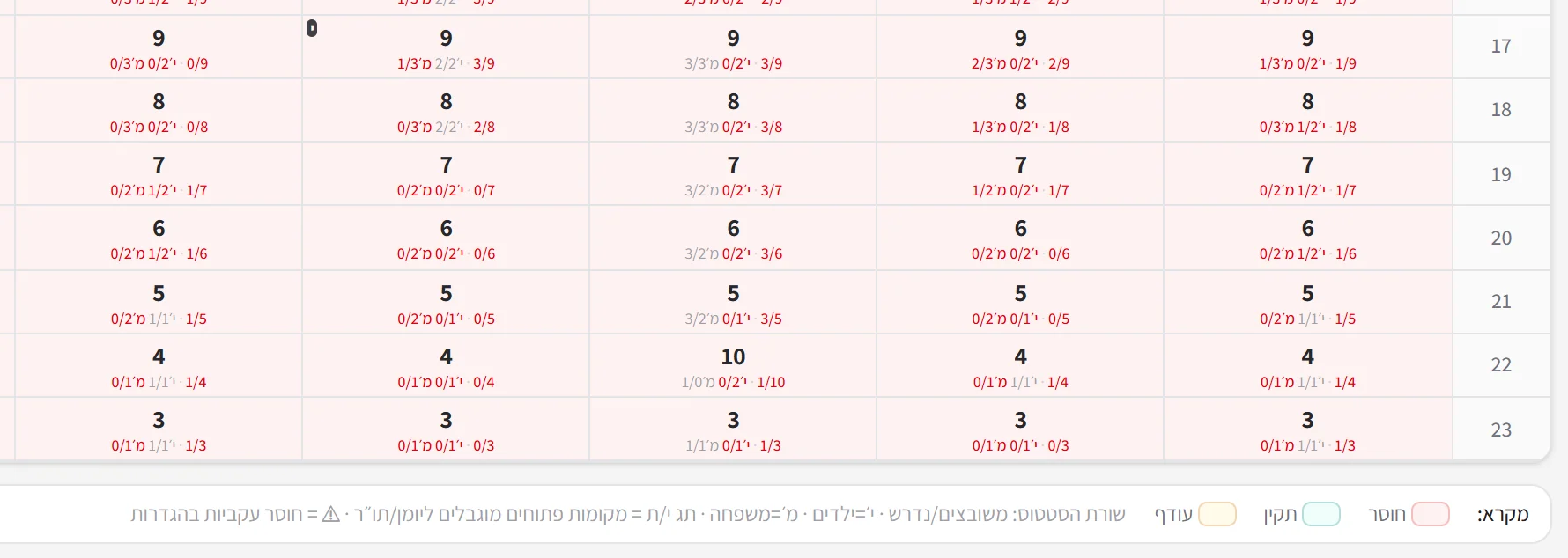
For the doctor, an interface designed mainly for mobile, with the next shift and choosing hours in three steps. The shift lead works with a timeline and filtering by speciality and type of work. The administrator gets a weekly board of 24 hours a day, in which a shortfall and a surplus in the staffing are shown in colour and in numbers.
Options that are not available come with an explanation, so it is possible to understand what limits the choice and to continue from there.
Choosing hours
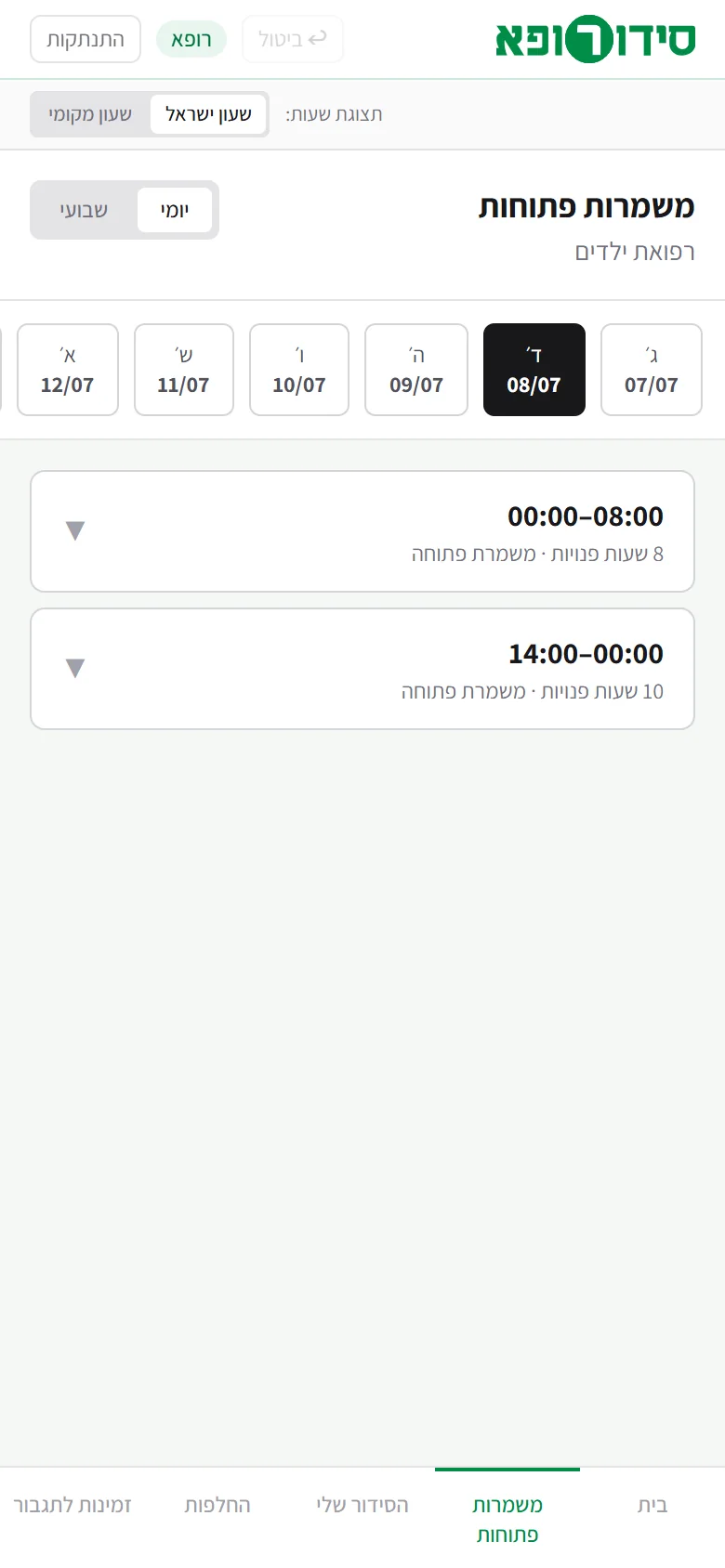
Choose a dayFrom the days with open shifts, you choose the right day. 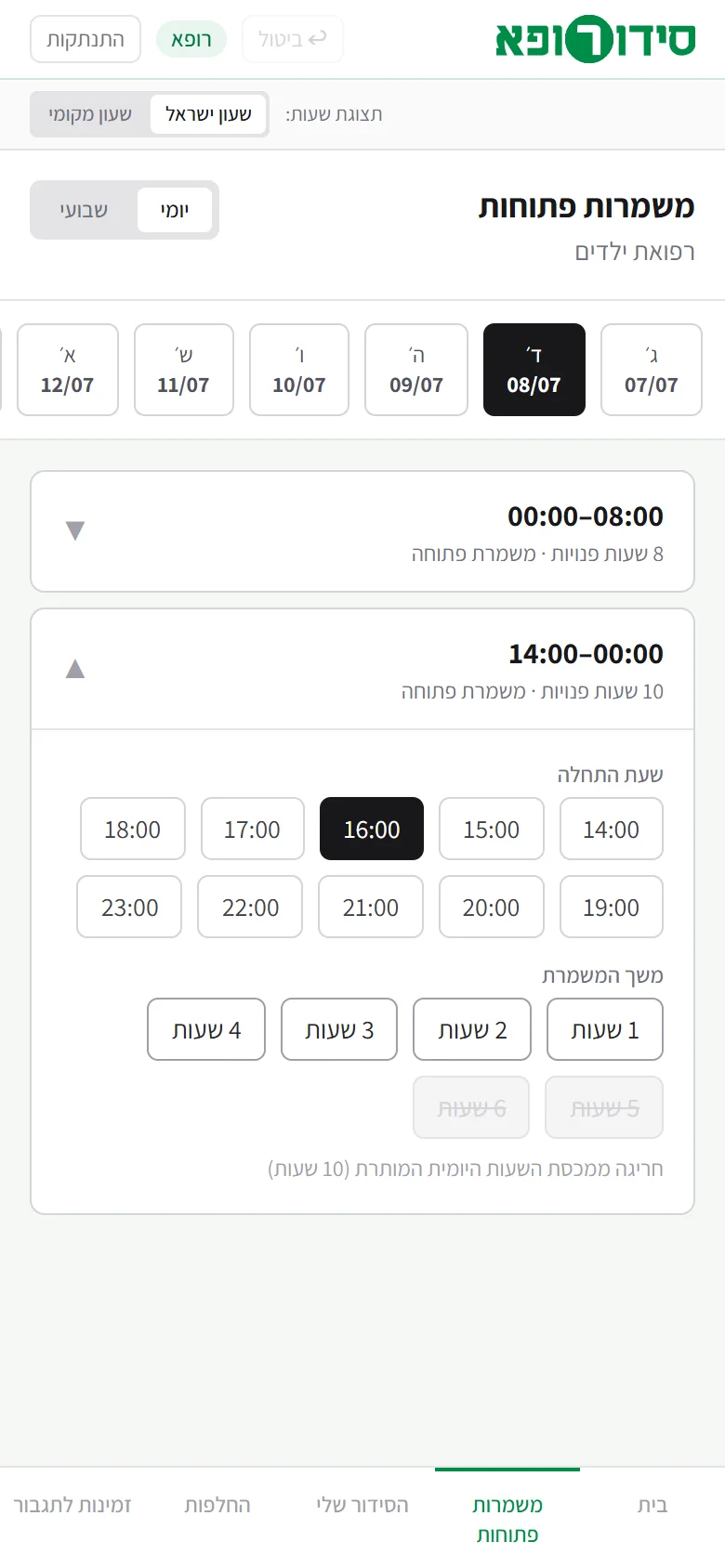
A start time and a lengthYou open a shift and choose a start time and a length. A length that is not available is blocked, with an explanation of why. 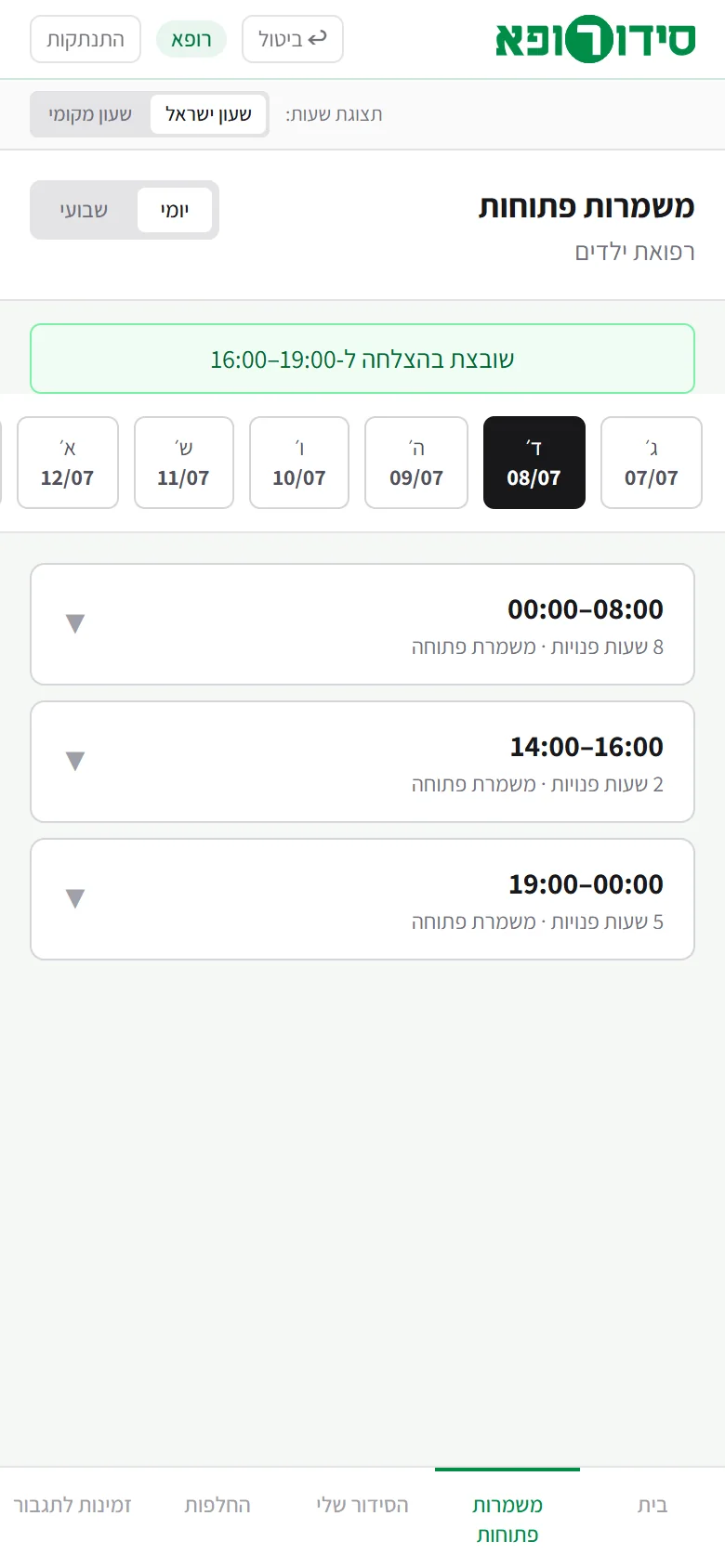
The shift is registeredA confirmation appears, and the hours that are left free in the shift are shown again.
Choosing hours from the open shifts.
Swapping a shift
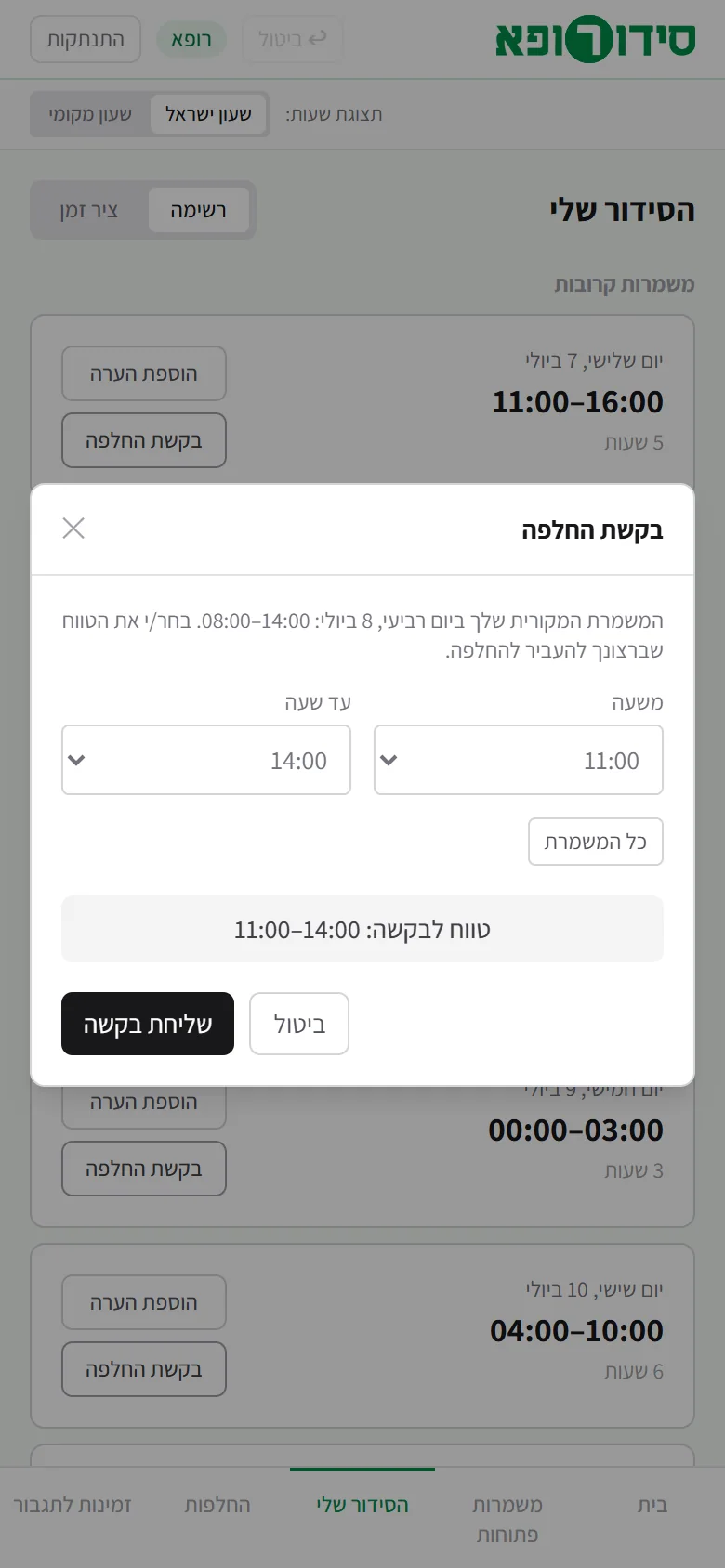
The doctor asksA doctor submits a swap request, and chooses which part of their shift to hand over. 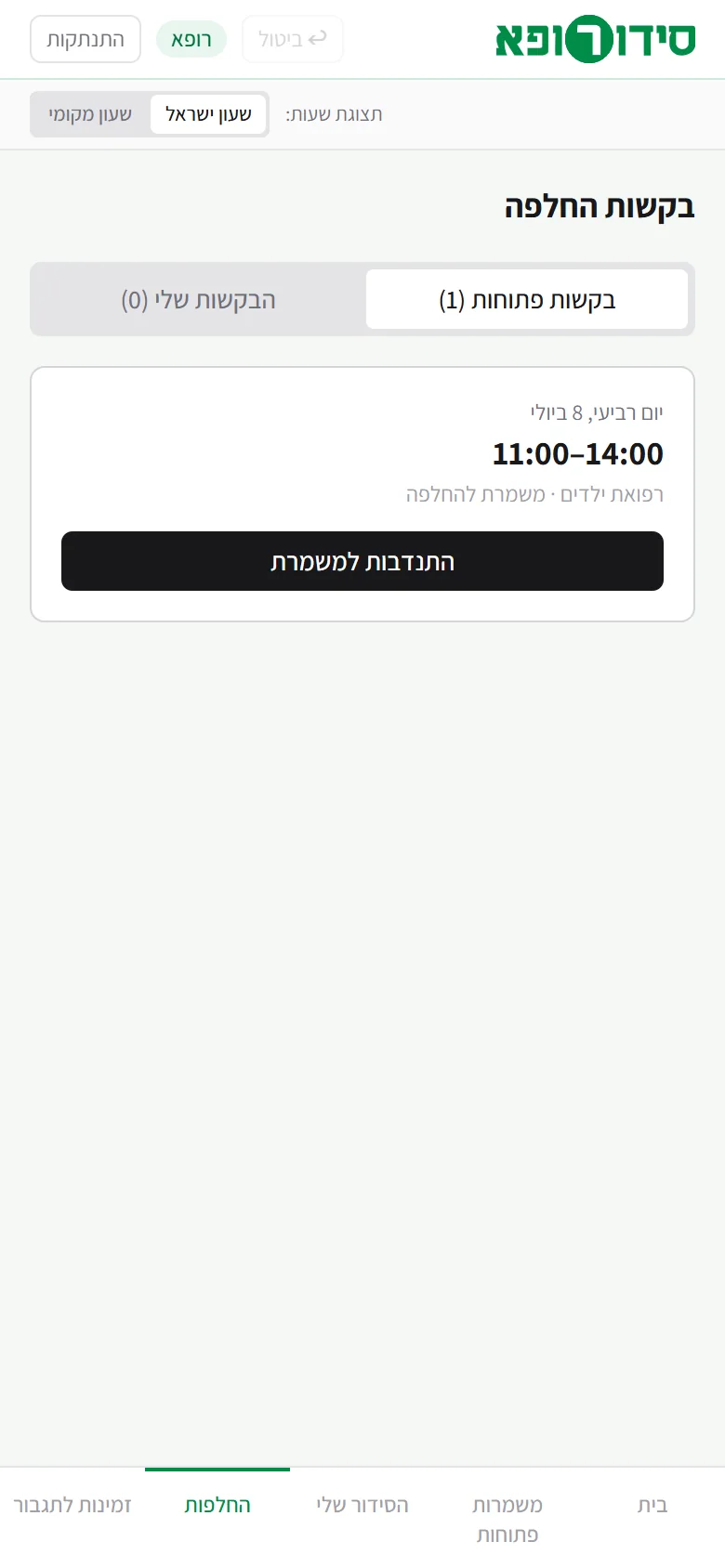
Another doctor volunteersThe request is open to volunteers, with no names, and another doctor of the same speciality offers to swap. After volunteering, it waits for the administrator’s approval. 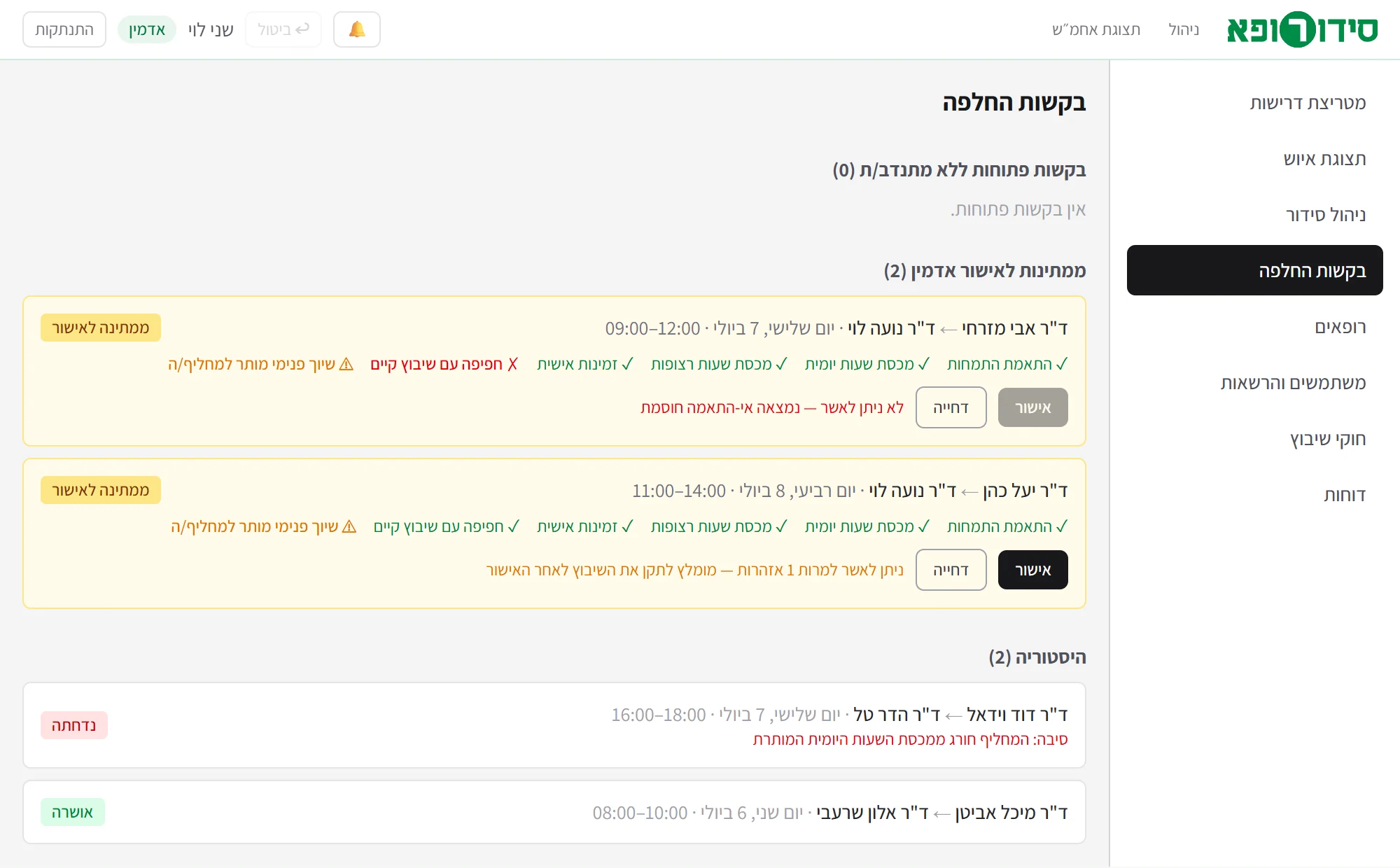
The administrator decidesThe administrator sees the request and its checks, and approves or rejects. A request that fails a blocking check, like the first one here, cannot be approved.
A swap request, a volunteer and an approval.
04
Technology
Next.js, React and TypeScript, styling in Tailwind CSS and an SQLite database on the server. The prototype includes sign-in, basic permissions by role and data saving. Logic shared by the interface and the server gathers the schedule updates; some of the scheduling rules still need to be fully enforced on the server.
05
Information security
Passwords are not stored as plain text. The server limits actions and information by role, so a doctor does not receive the personal details of other doctors. Disabling an account also blocks a user who has already signed in.
Before a pilot, the authorisation and data-integrity checks on the server must be completed, sign-in attempts limited, and the information exposed to the shift lead reduced. Encryption, backups and the audit log also have to be completed.
06
State of the project
A functional prototype that can be demonstrated with demo data. To start running it in the service itself, the enforcement of the scheduling and swap rules on the server has to be completed, saving and synchronisation have to be made reliable when several users work at the same time, and the handling of dates and time zones has to be completed. Sending e-mail and exporting files are still simulated, and they have to be completed alongside notifications and information protections.
07
More about the system
Doctors choose hours and the administrator manages the requirements and the assignments. The system helps by calculating occupancy and shortfalls and by presenting the scheduling options. It currently has no engine that creates a schedule automatically.
Hour quotas, requirements and availability can be changed in the settings. The two main specialities and types of work are currently built into the logic, so adapting it to a different structure of queues requires development. The system is also not yet meant for managing several organisations in one installation.
Each role has its own interface. The server limits actions and information by role, so a doctor does not receive the personal details of other doctors. Before a pilot, the authorisation checks on the server still have to be completed and the information exposed to the shift lead reduced.
A doctor submits a request to swap a shift or part of it. The request stays open to volunteers, with no names, and another doctor offers to swap. The administrator sees the request and its checks and approves or rejects; a request that fails a blocking check cannot be approved.
Not for real yet. Sending e-mail and exporting files are simulated in the prototype, and they have to be completed alongside notifications and information protections.
Not yet. It is a functional prototype that can be demonstrated with demo data. To start running it in the service, the enforcement of the scheduling and swap rules on the server has to be completed, saving and synchronisation have to be made reliable when several users work at once, and the handling of dates and time zones has to be completed.