
06 / 09
dm
Personal messages, sent in bulk
Sending personal messages by WhatsApp and e-mail from a data sheet, with the content adapted to each recipient and a review before sending.
From a row in the sheet to a message for a recipient
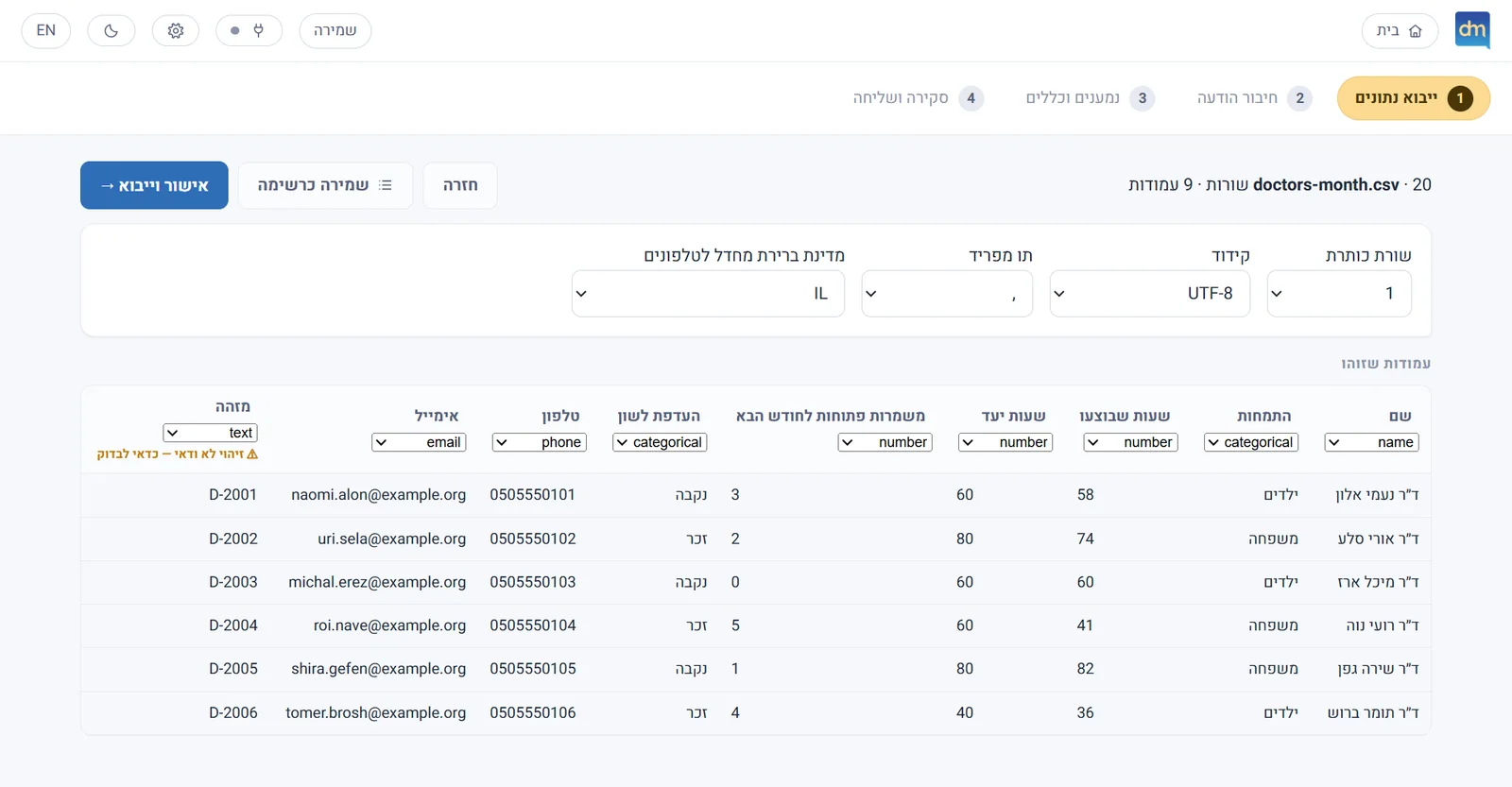
A row in the sheetEach recipient’s details are in a row of the sheet: a name, hours, a target and more. 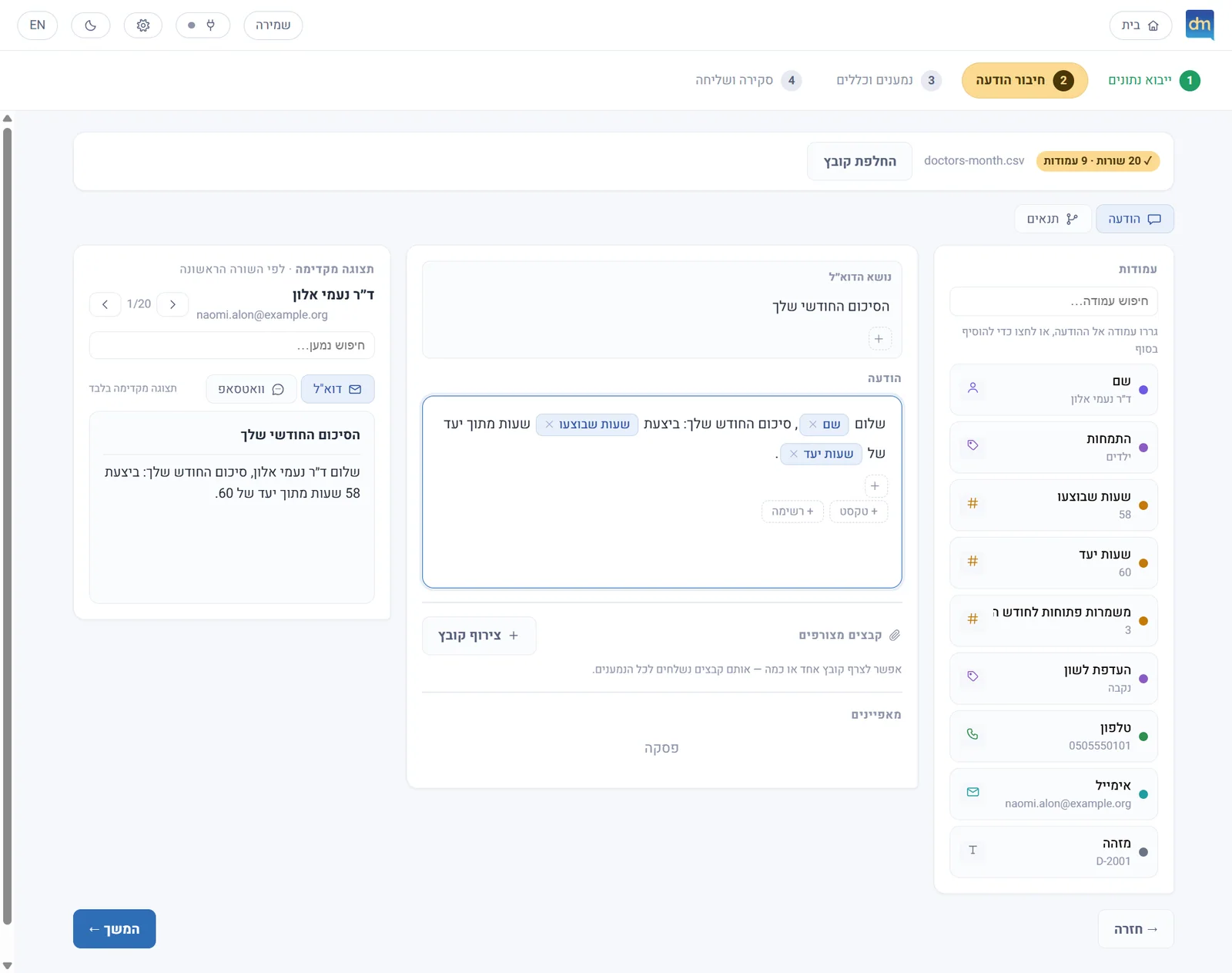
A message with fields, and the message madeFields from the sheet are woven into the wording. Beside it appears the message made for the recipient, with their own details.
Adapting the message to the details in the sheet.
Note Every name, address and number on the screens is invented: a demo sheet of fictitious doctors. The screens were captured from the application itself.
- My contribution
- Product specification, interface design and development with the help of AI tools.
- Discipline
- Creative Labs · UI/UX
- Product state
- Working version · Private demo
01
The challenge
Sending similar messages to many people, where each one needs to receive different details: a name, a time, a date, a link or a file. The information is in a sheet, but to send it you have to go through the rows, copy the details into the message and check each time that they belong to the right recipient.
The longer the list, the more time and attention this work takes, especially when the wording needs updating or when sending through several channels.
02
The principle
A system that connects the data sheet with the content of the message. You import the sheet, write the wording and weave into it fields that the system fills in for each recipient. The wording can change according to values in the table, files can be attached, and you choose whom to send to and through which channel.
Each recipient gets a separate message with their own details. During the send you can follow the progress, stop and resume, and the send history is kept in the project.
03
Interface and user experience
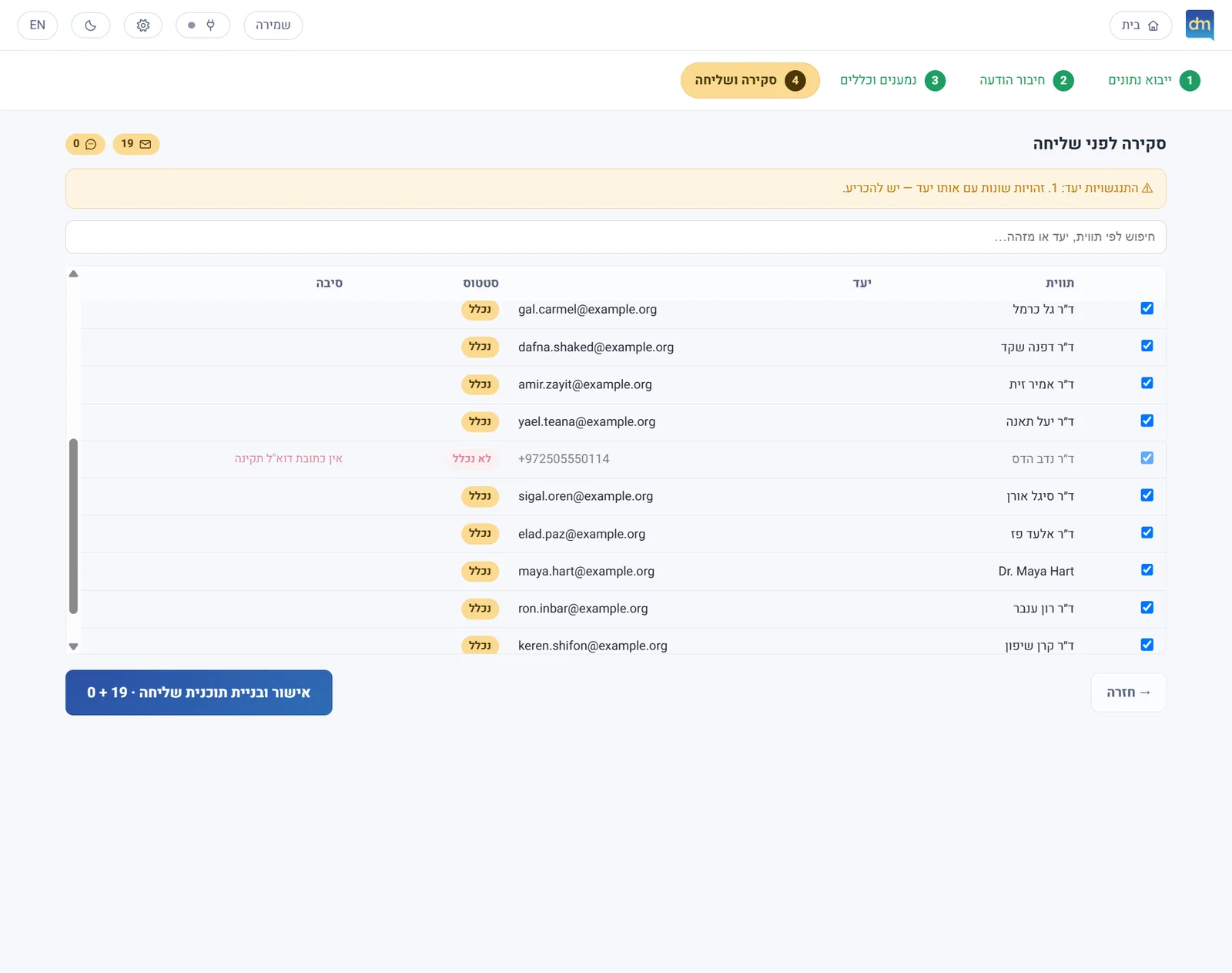
The process is built in four stages: import, writing, review and sending. The variable fields are woven into the text editor, and the preview shows a message with the details of a recipient from the sheet.
Missing contact details are marked before the send is approved, so they can be fixed as part of the work. The interface was designed in Hebrew and right-to-left, with support for English and for dark mode.
Writing the message
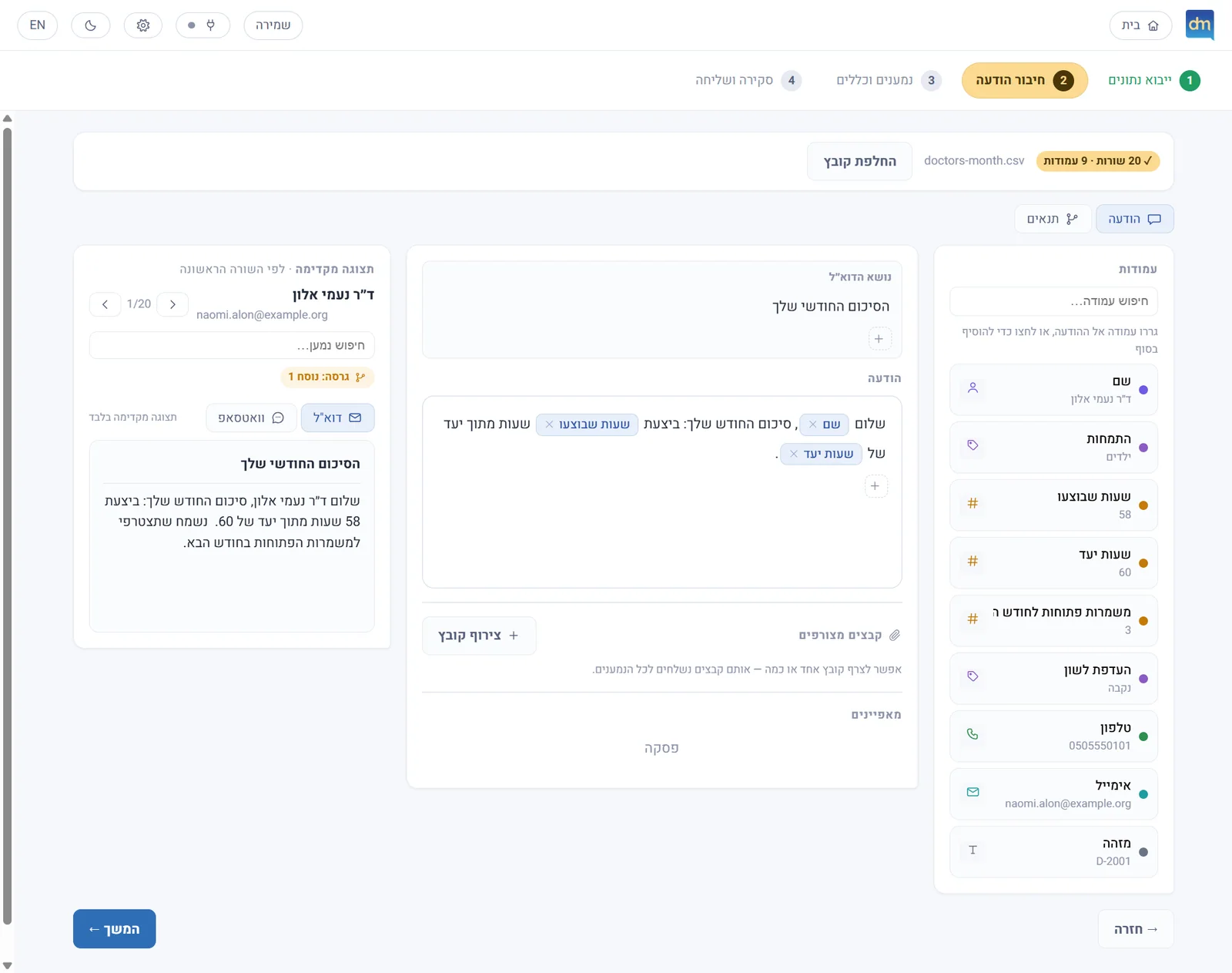
The first recipientThe editor with the fields and the condition that changes the wording, and the first recipient’s preview. 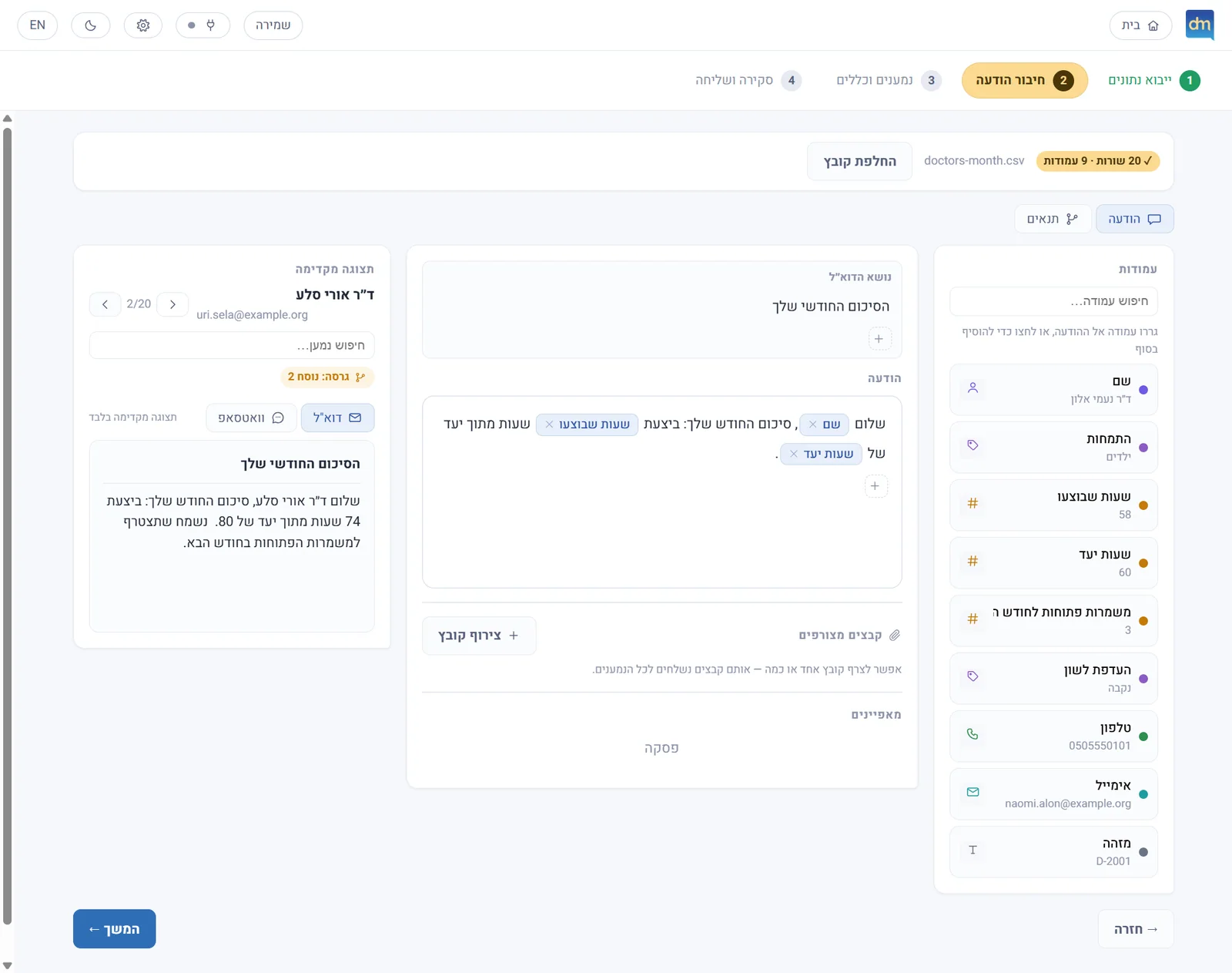
The second recipientSwitching to another recipient: the wording is the same, and the fields and the condition update from their row in the sheet.
The same wording, with each recipient’s details.
Tap to scroll the page insideClick to scroll the page inside
Tracking and control
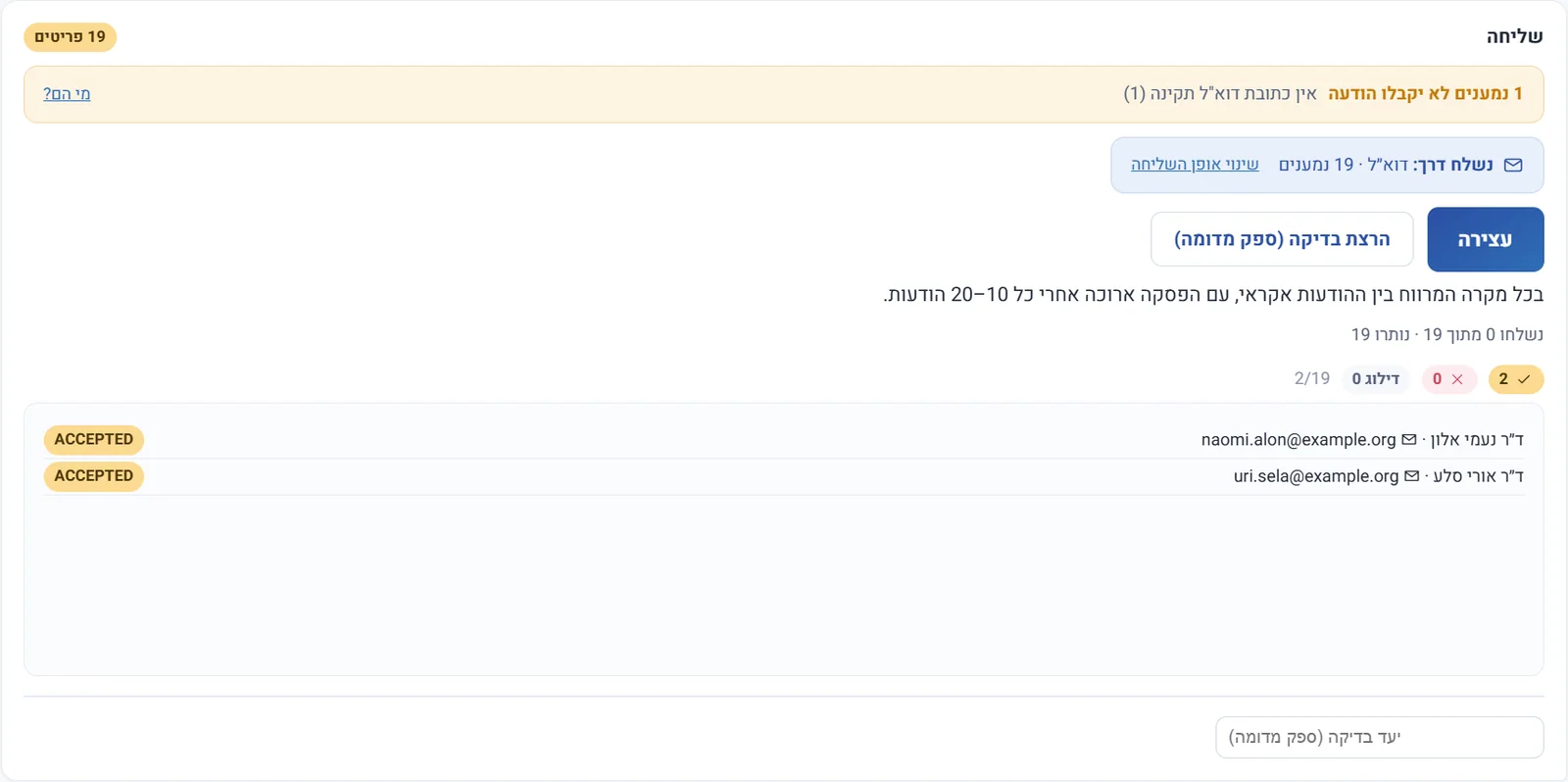
The send moves onThe counters show how many messages were sent, and the stop button is available throughout the send. 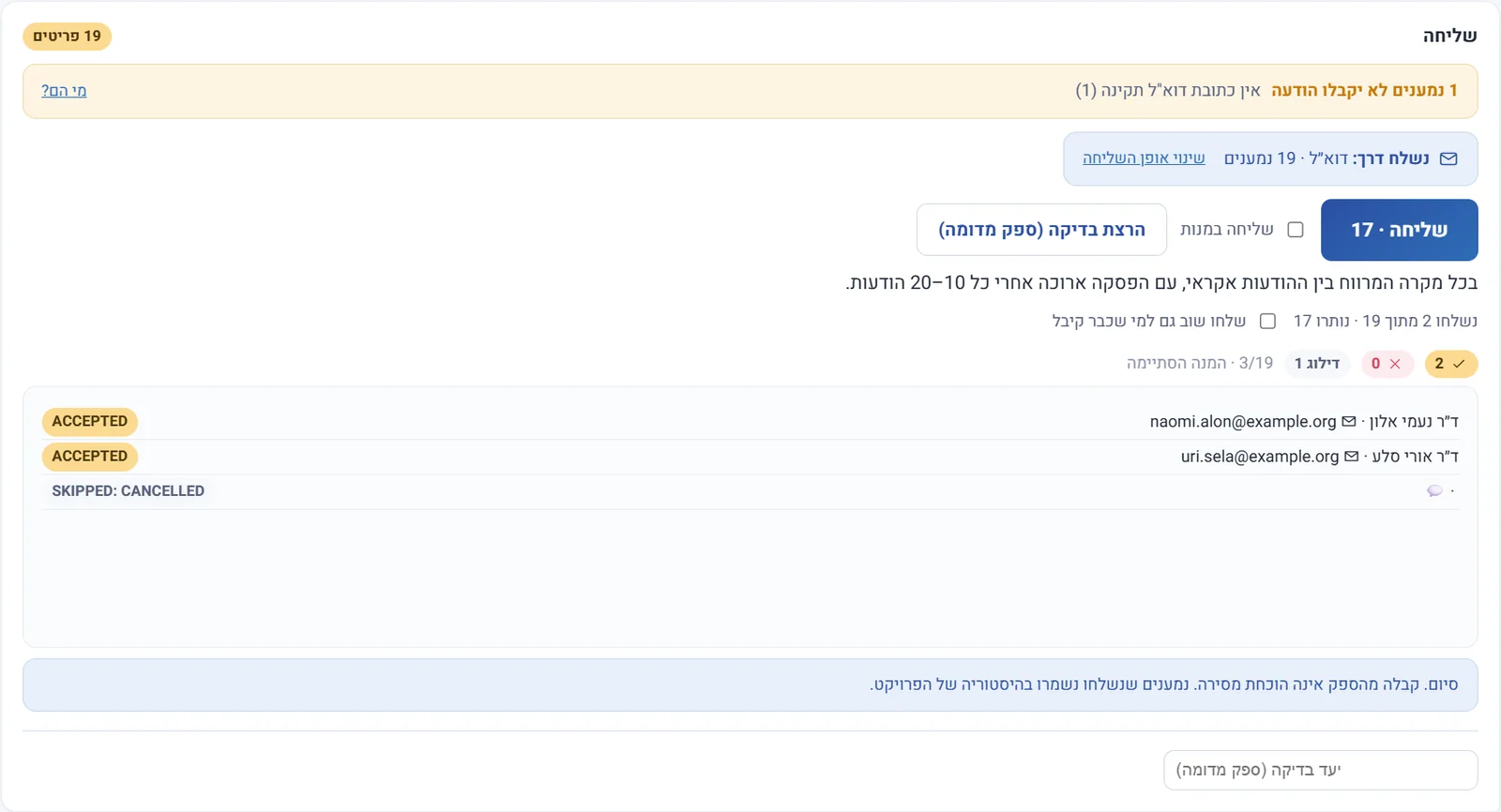
StoppedAfter a stop the screen shows how many were sent and how many remain, and the button offers to continue.
The progress of the send, and the option to stop and resume.
04
Technology
A Windows application based on Electron, React and Node.js. E-mail is sent through SMTP, a Google connection or classic Outlook. The WhatsApp connection works through WhatsApp Web automation. The projects are saved on the computer, and the messages and the recipients’ details are passed to the chosen communication provider for the purpose of sending.
05
Information security
The projects, the settings and the send history are encrypted locally, and the key is protected by the Windows account. An automatic PIN lock blocks access to the data also within the application mechanism, with a limit on sign-in attempts and a one-time recovery code. An encrypted action log records actions such as import, changing settings and starting a send, without keeping the content of the messages or the recipient lists.
The source files, the attachments, the exports and the WhatsApp browser profile are not covered by this encryption. The lock is meant to prevent casual access to an open application; someone who already controls the Windows account is not blocked by it.
06
State of the project
A working, installed version that has not yet been tested in full use at an organisational scale. The WhatsApp Web connection is not the official business connection; it depends on changes in the service and carries a risk of the account being blocked. Sending is done at a controlled pace and can be stopped, but these are means of controlling the process, not a promise to prevent blocking.
07
More about the system
The project and the send history are saved on the computer. When a message is sent, its content and the recipient’s details that are needed for sending pass to WhatsApp or to the mail provider. Files that were imported into or exported from the system also need appropriate storage, because they are not covered by the project’s encryption.
The status states that the service received the message for sending, or that it was passed to Outlook. It is not a confirmation that the recipient received or read it. There is currently no read tracking or built-in management of removal requests.
Yes. E-mail is sent through SMTP, a Google connection or classic Outlook, and the WhatsApp connection works through WhatsApp Web automation. Each recipient gets a separate message with their own details, and you choose who to send to and by which channel.
Missing contact details are marked in the review step, before the send is approved, so they can be fixed as part of the work. A recipient with no valid address is not included in the send, and the reason is shown beside it.
Yes. During the send you can follow the progress, stop and continue, and the send history is kept in the project. Sending is done at a controlled pace, but that is a way to control the process, not a promise to prevent blocking.
The projects, the settings and the send history are encrypted locally, and the key is protected by the Windows account. A PIN lock prevents casual access to an open application, and an activity log records actions such as import and the start of a send, without keeping the content of the messages or the lists of recipients. The source files, the attachments, exports and WhatsApp’s browser profile are not covered by this encryption, and whoever controls the Windows account is not blocked by the lock.